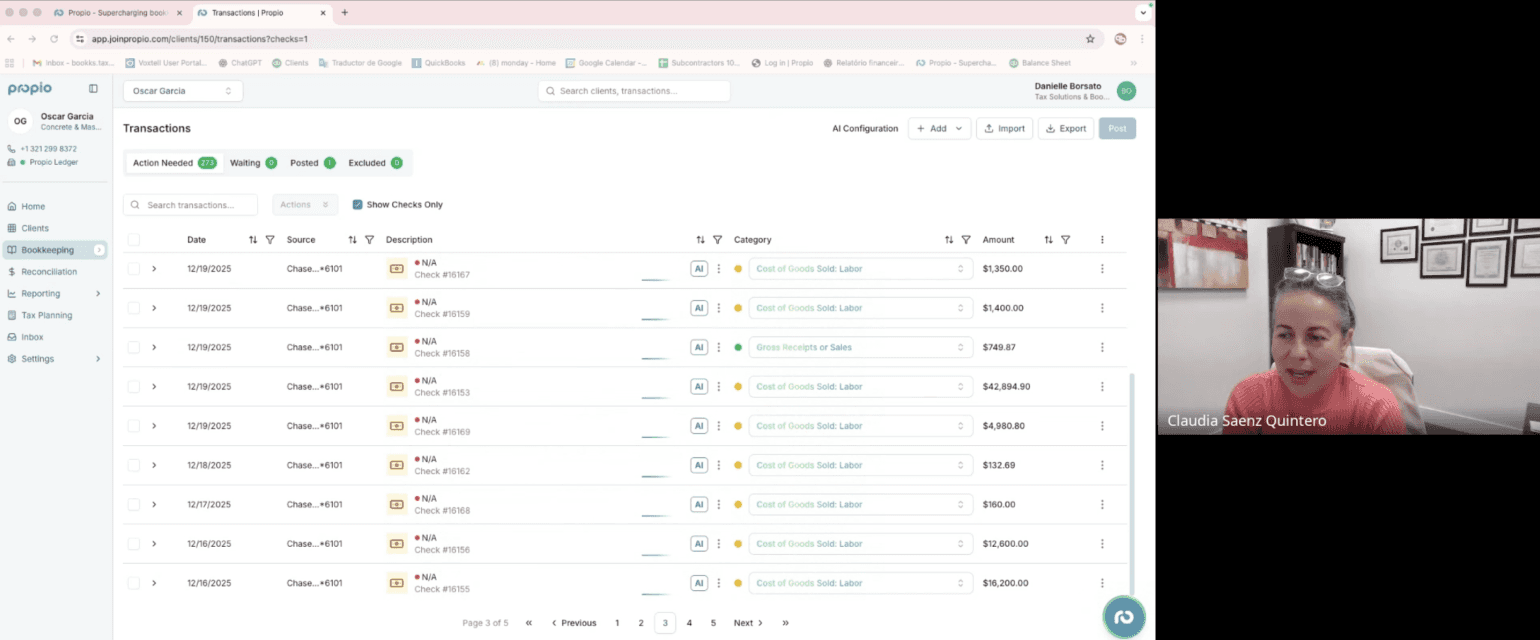
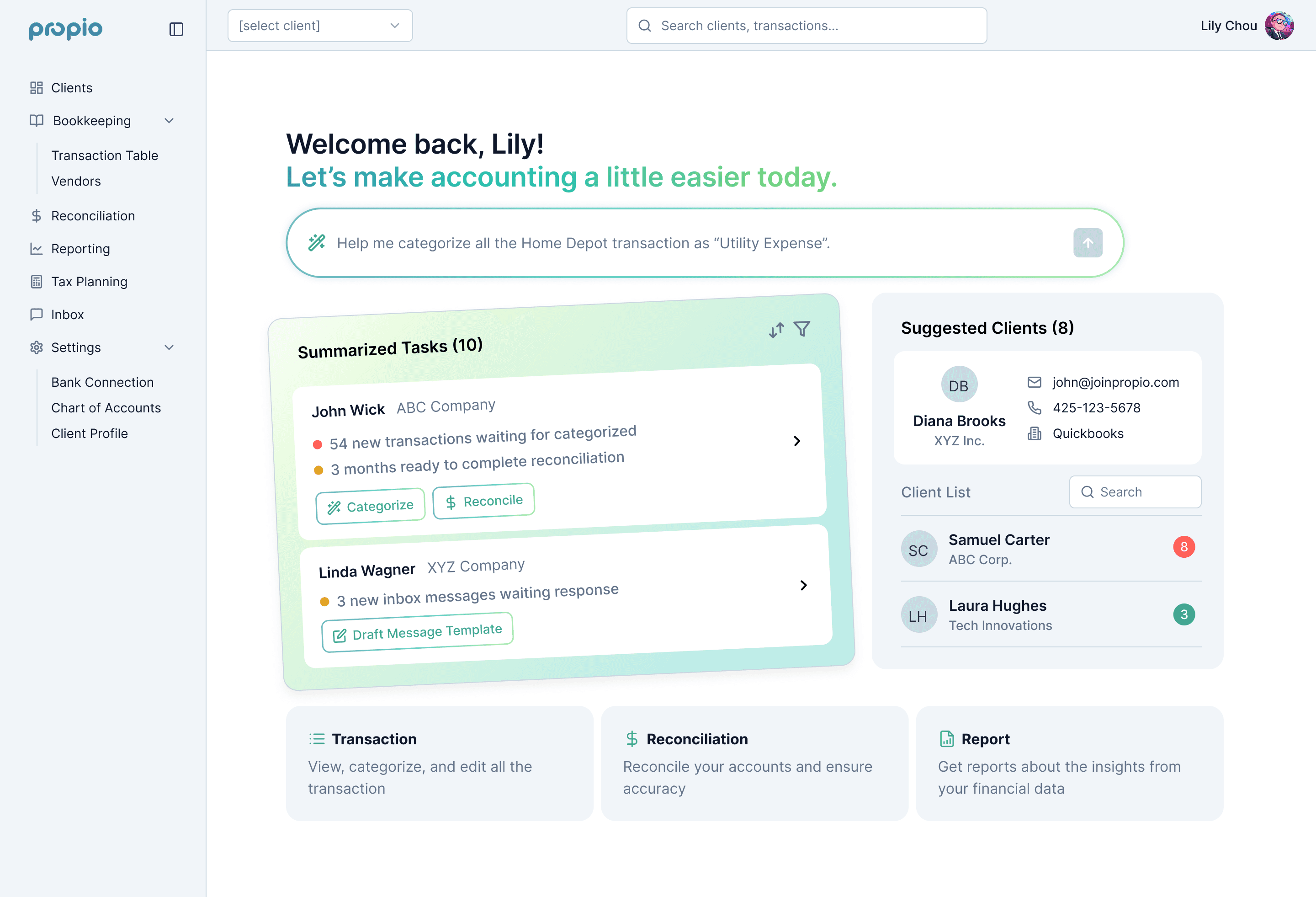
Features at a glance
Designing AI to facilitate tedious processes within regulated accounting workflows
As the first and only product designer at Propio, I led the design from 0 to 1, shaping research, interaction models, and system behavior. Working closely with the founding team, I ensured the product delivered measurable impact while maintaining trust and control for accountants.
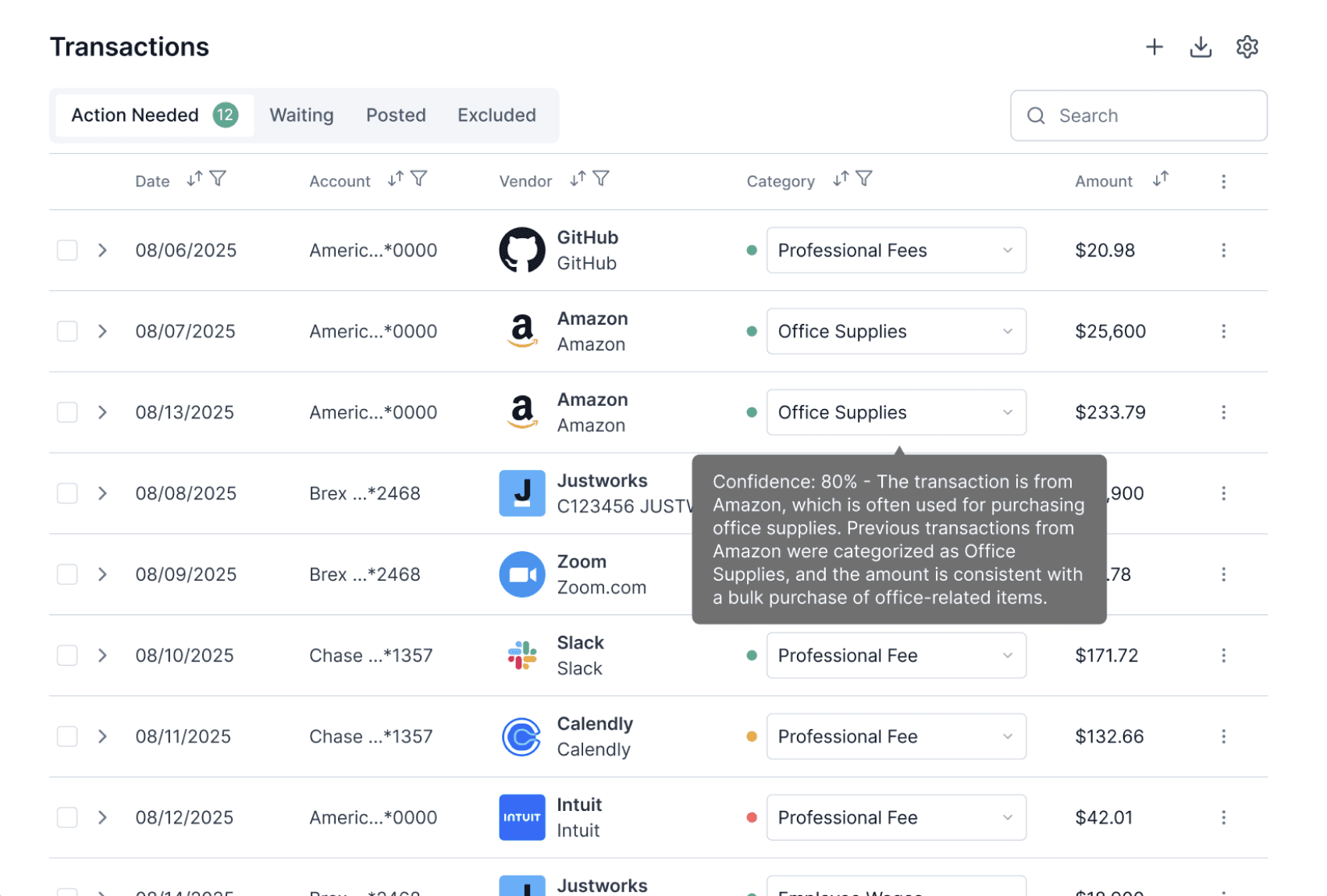
AI Categorization Reasoning
May 2025
Discrepancy Found
There’s $132 discrepancy between your bank and Propio ledger this month. Please review them and finalize reconciliation.
Start Review
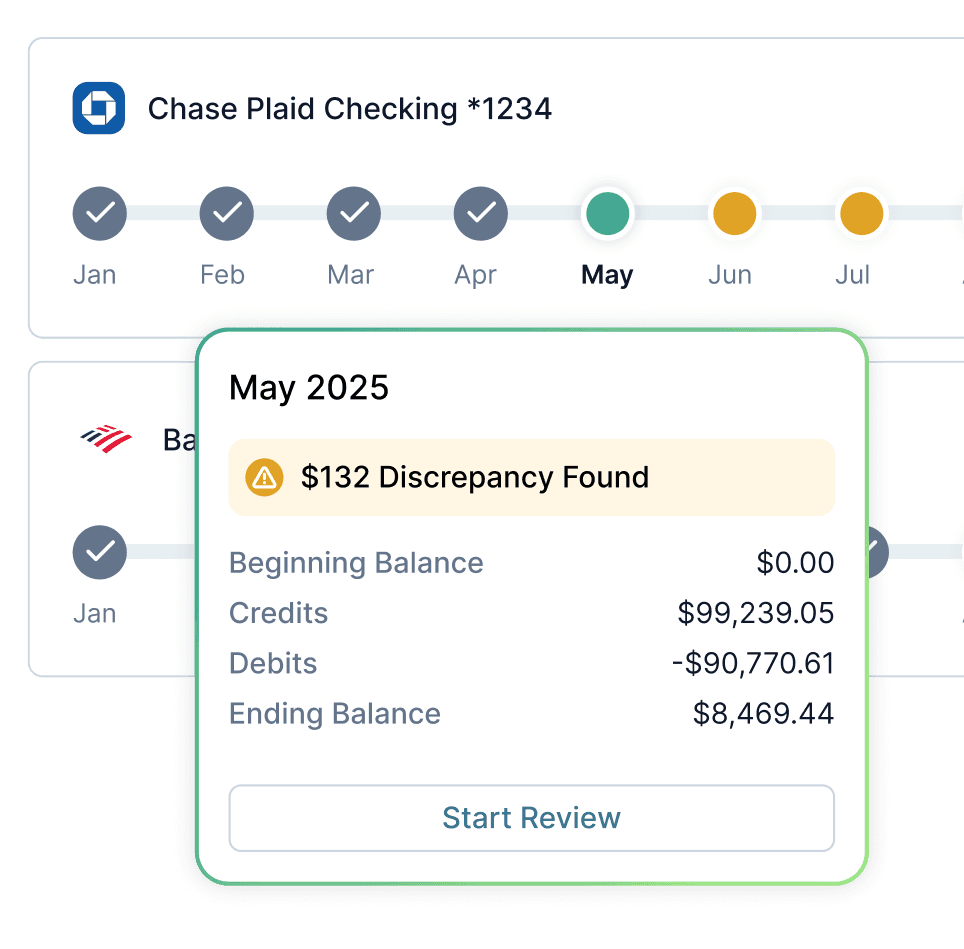
Automatic Reconciliation
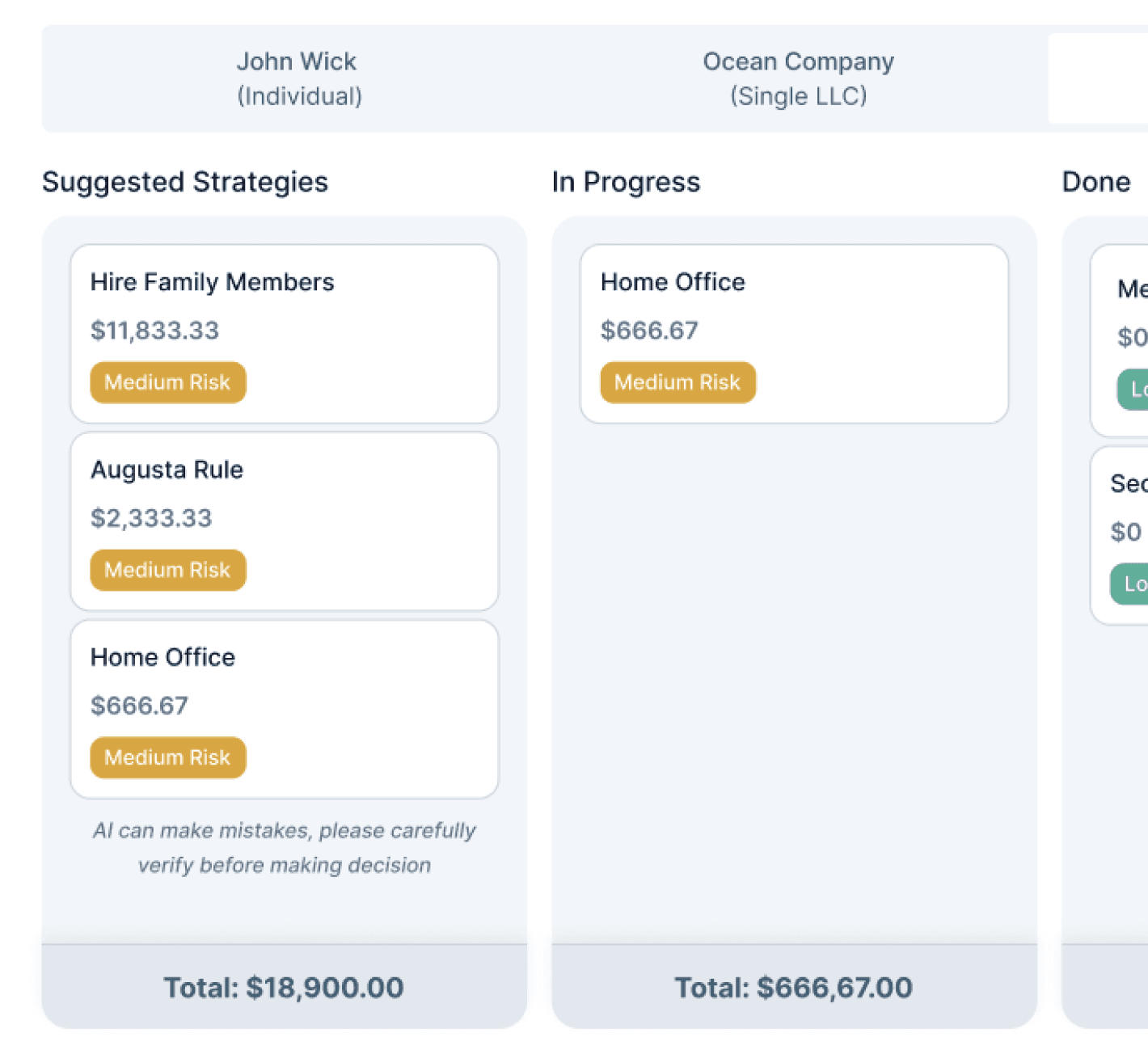
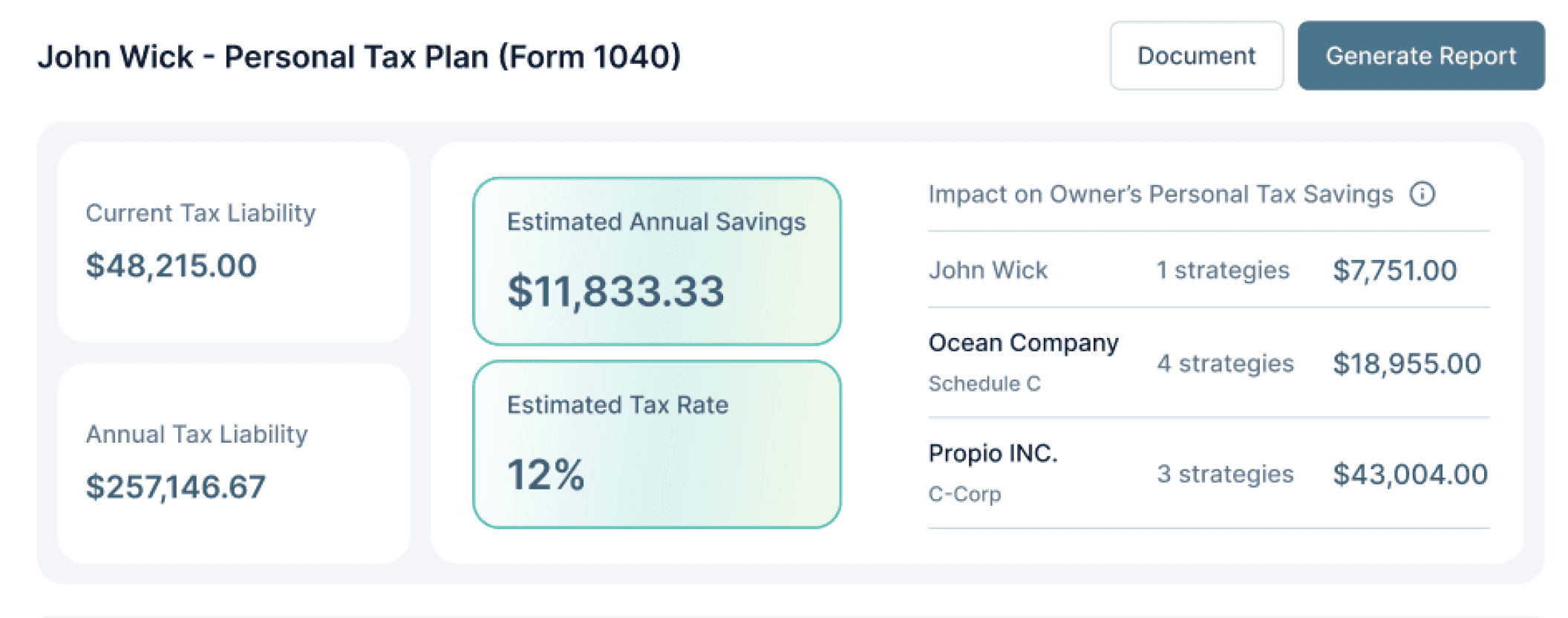
Tax Strategy
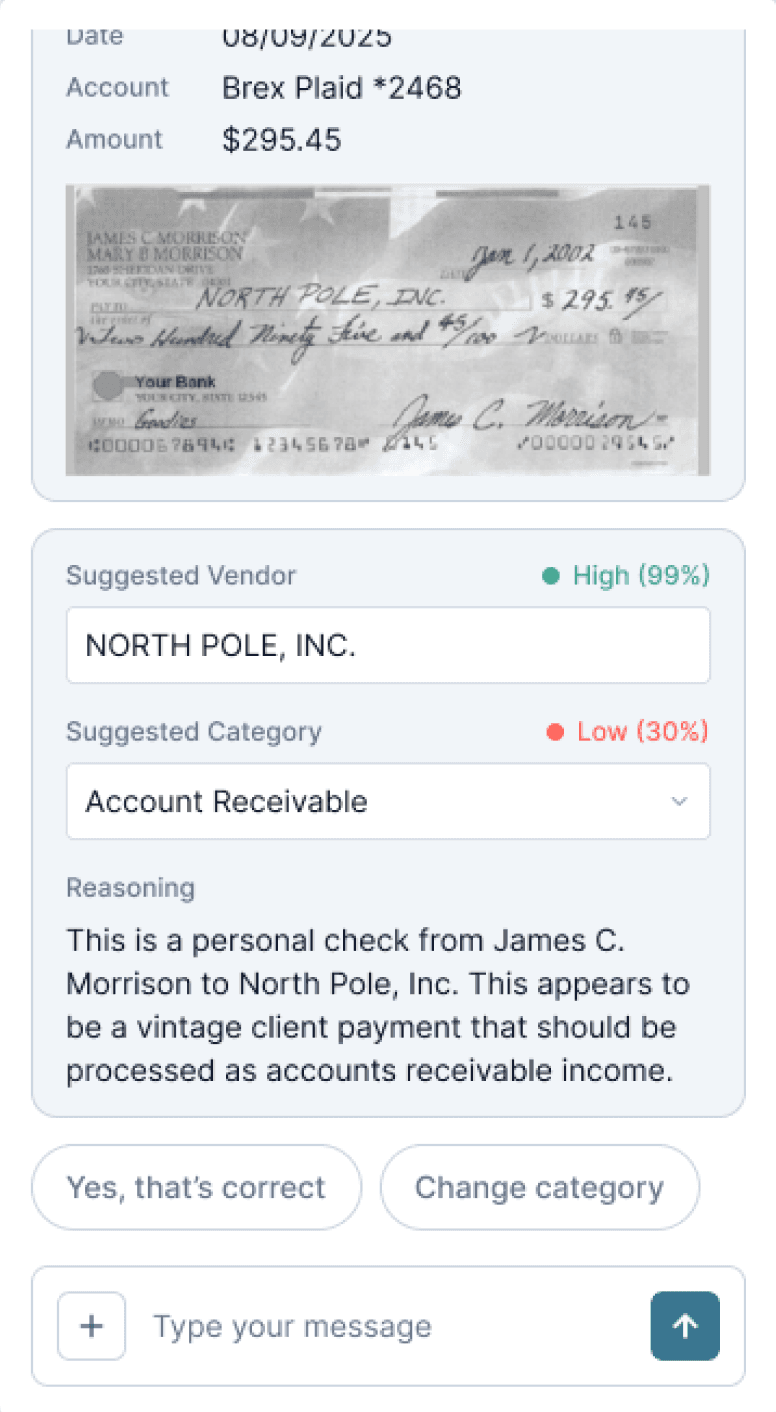
Check Handling
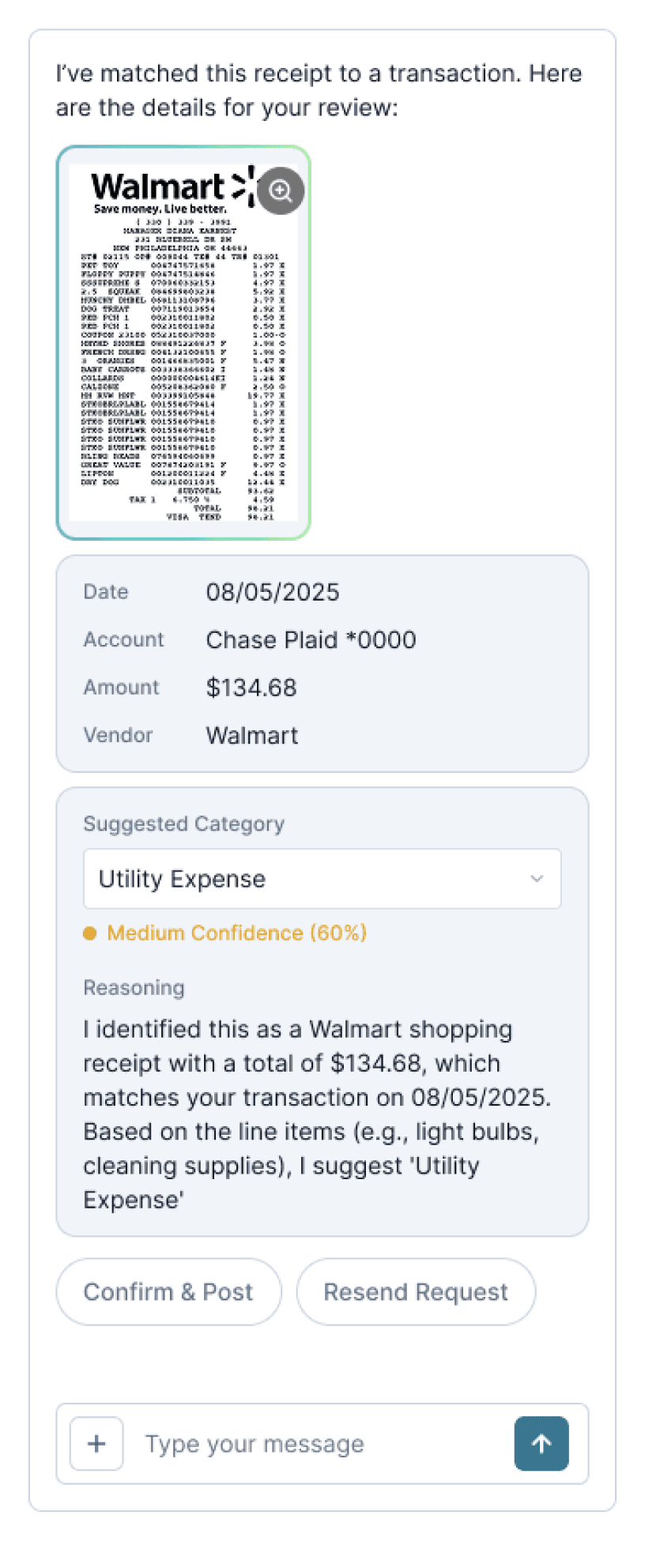
Receipt Handling

Customer Revenue Scaled by
9.6x
within 6 months
Check Review Efficiency Raised By
60%
validated by 10+ user testings
Categorization Accuracy Boost By
~50%
through human-AI collaboration
What is Propio?
Propio use AI to automate transaction categorization for accountants.
We support accountants in reviewing and categorizing transactions, making up nearly 70% of their workload. Propio uses AI to assist with categorization, reducing manual effort while keeping accountants in control.
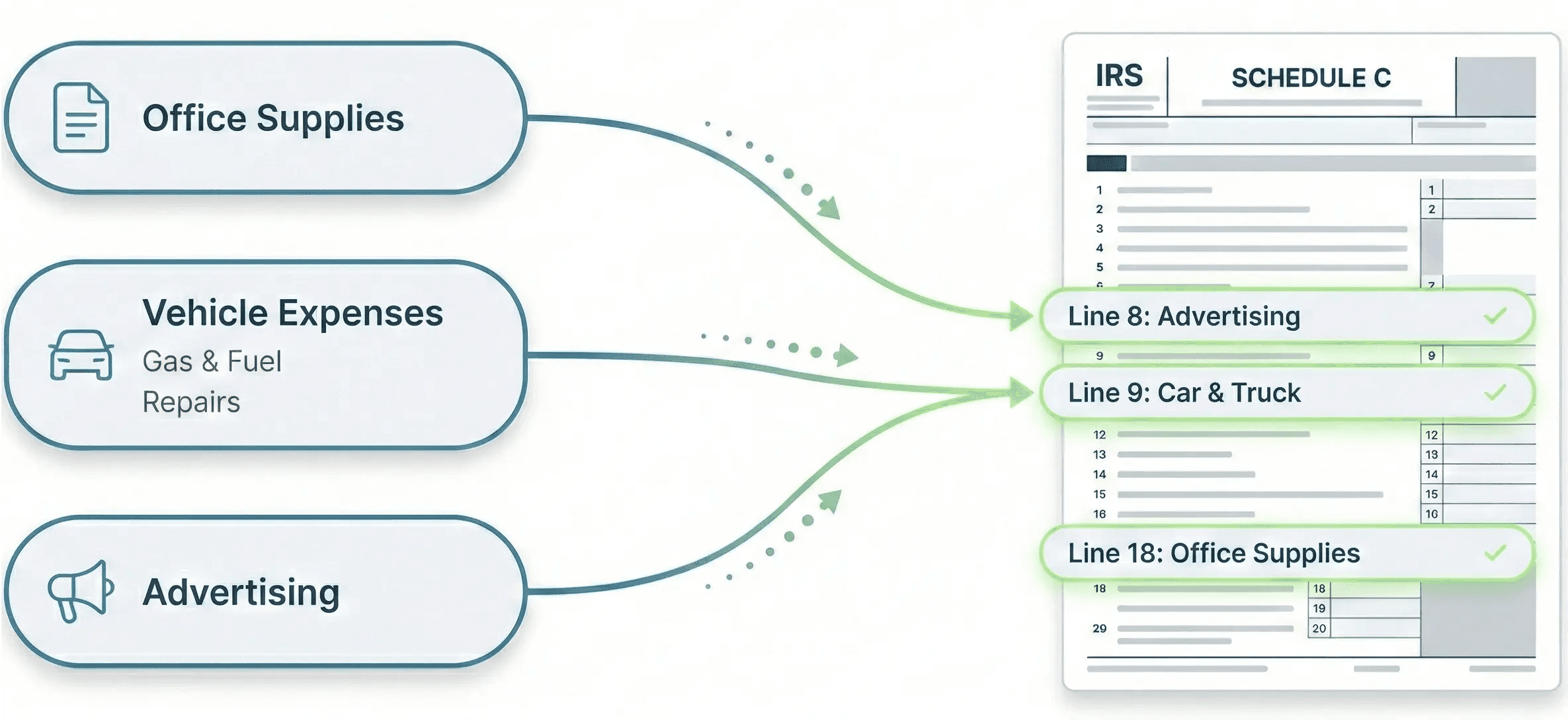
Who we’re building for?
We design for small accounting firms working in regulated environments.
Our users are small accounting firms (2–15 people) managing dozens of client businesses at once. Their workflows are structured, high-stakes, and constantly reviewed, where even minor mistakes carry financial risk.

Problem Space
However, AI miscategorized transactions, creating more manual work and breaking trust.
1
When the AI made mistakes, the same errors often repeated, leading to frustration and declining trust from our clients.
2
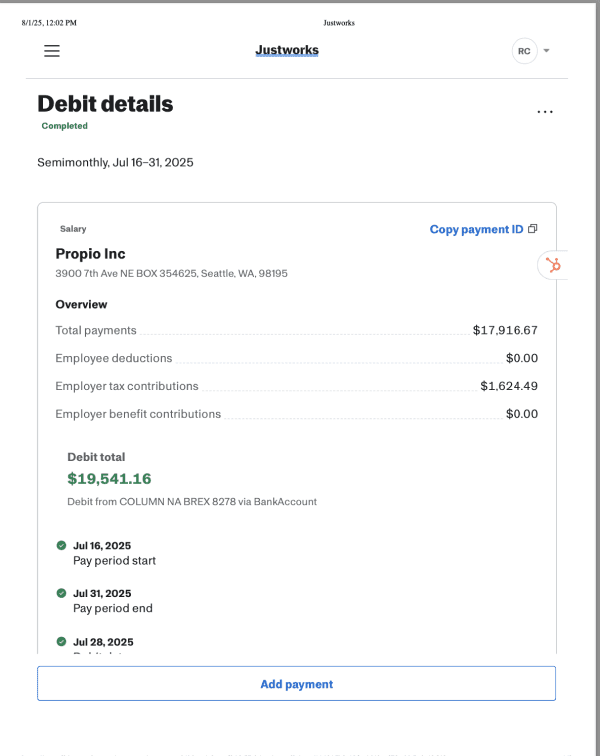
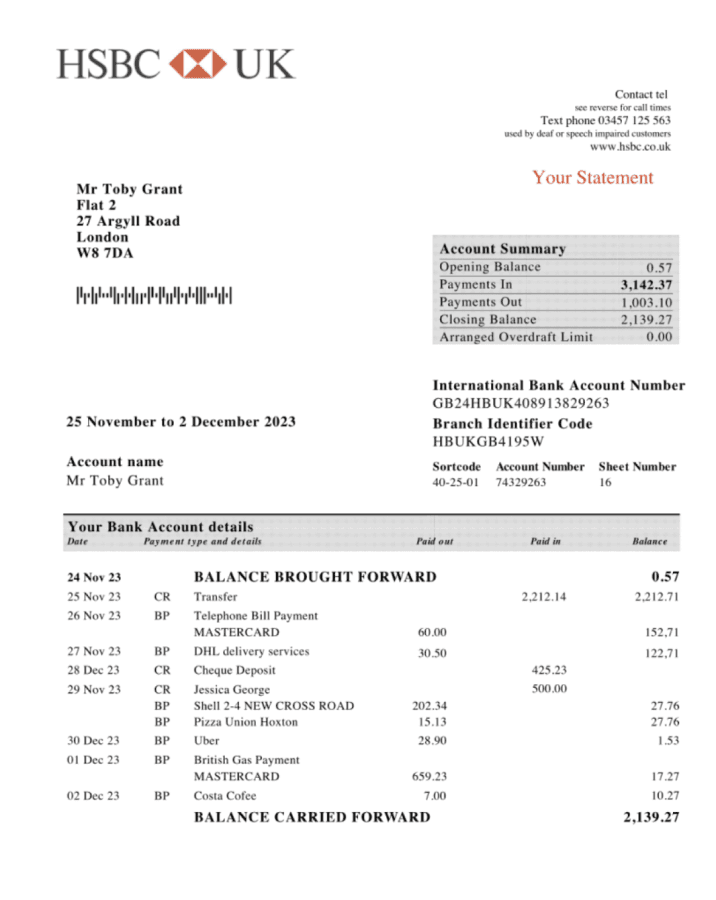
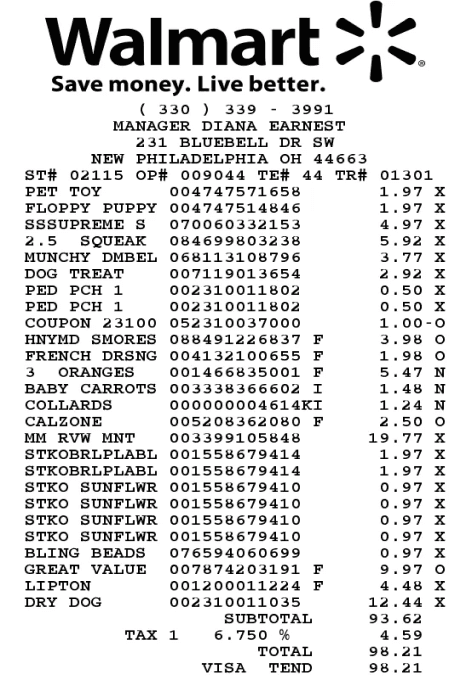
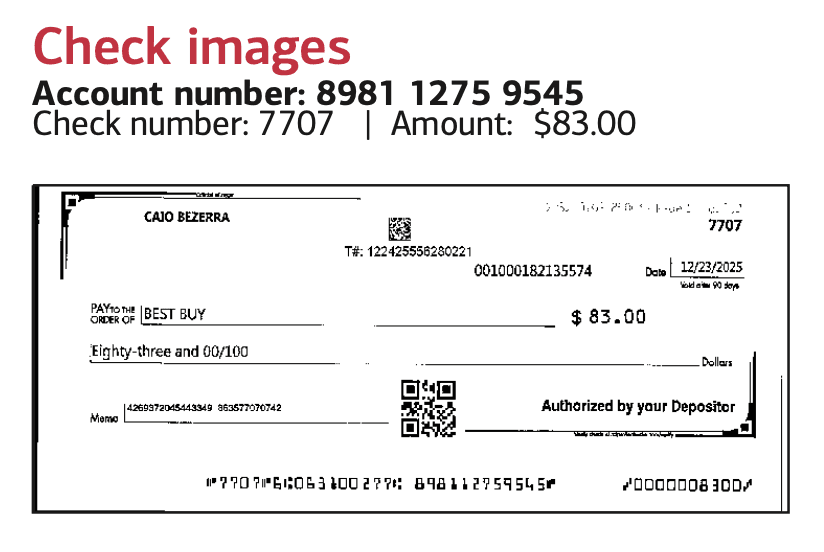
Edge cases like checks and uploaded receipts still required full manual review, and accountants felt like they were double-checking the AI’s work.
Research Findings
Research revealed a new direction for the product.
Based on 8 user interviews and internal design workshops, we found that AI must preserve user autonomy, reduce cognitive load, and improve contextual accuracy so accountants can collaborate with AI without disrupting their workflow.
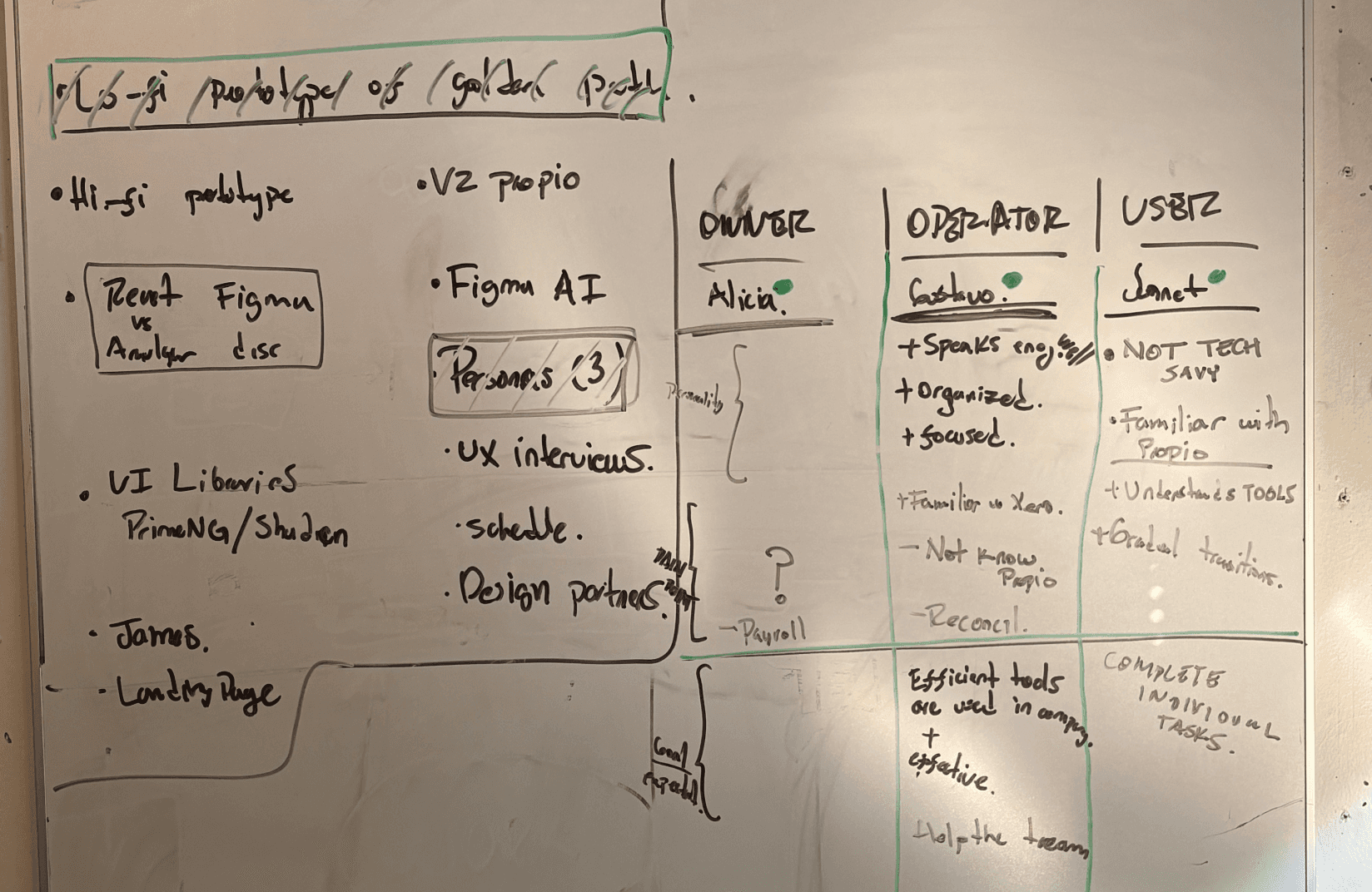
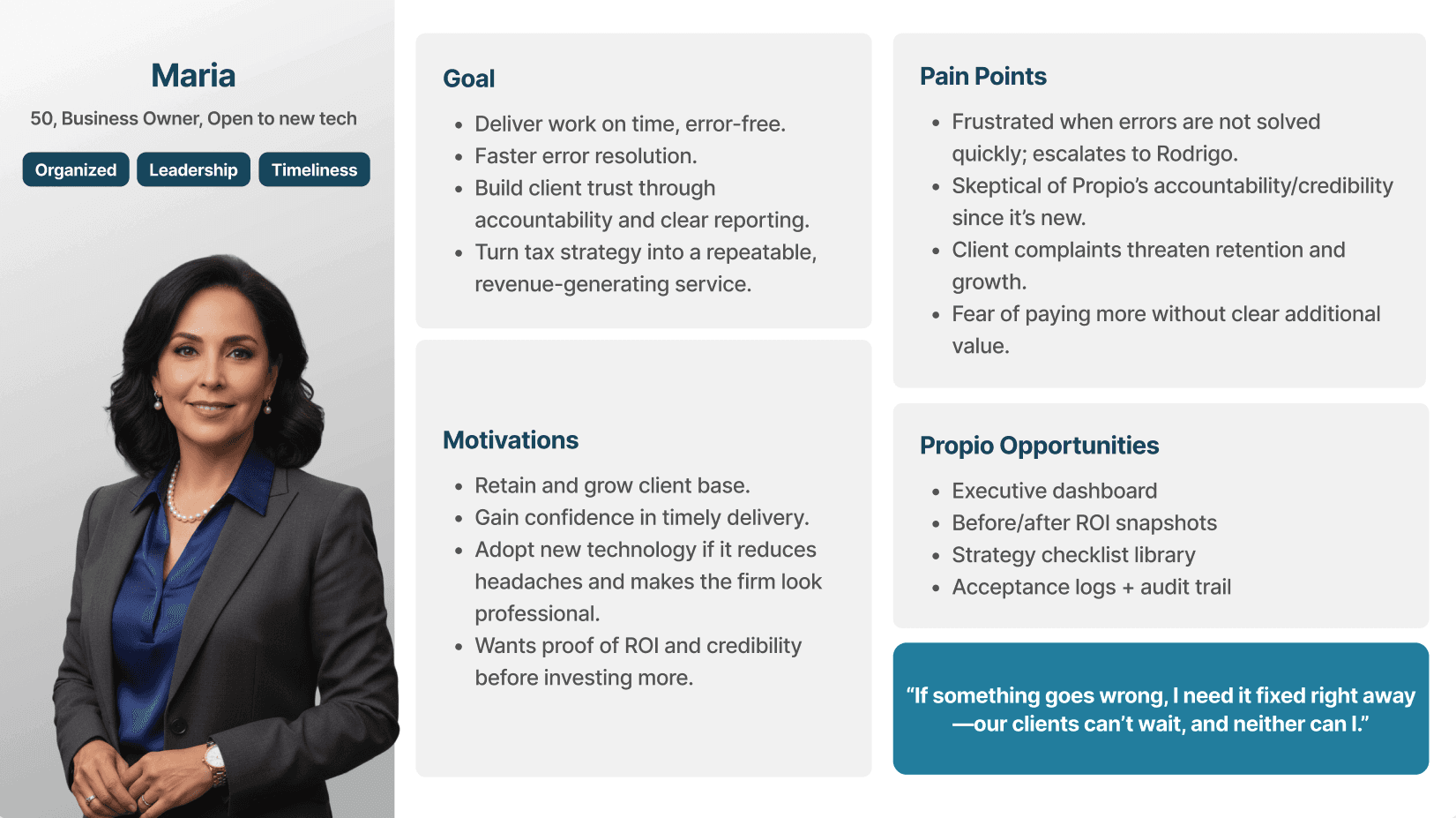
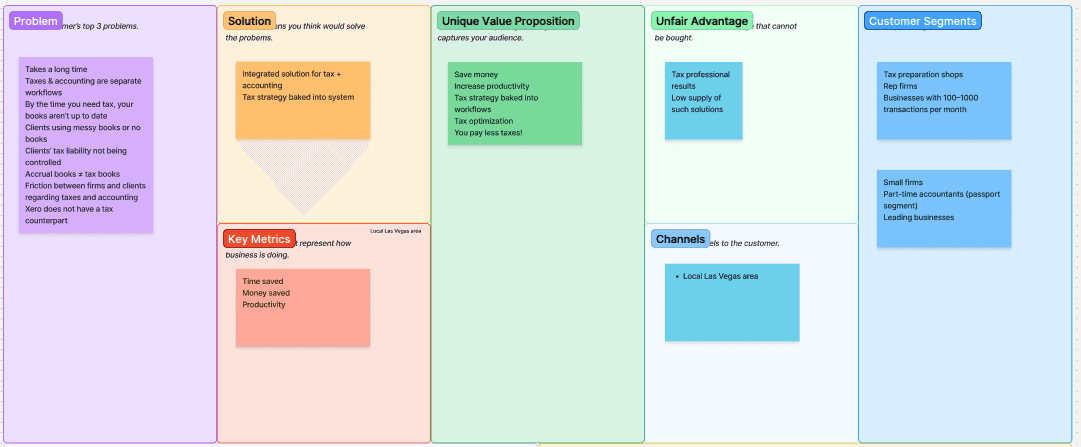
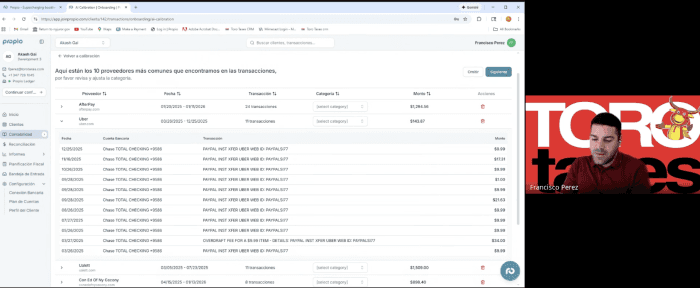
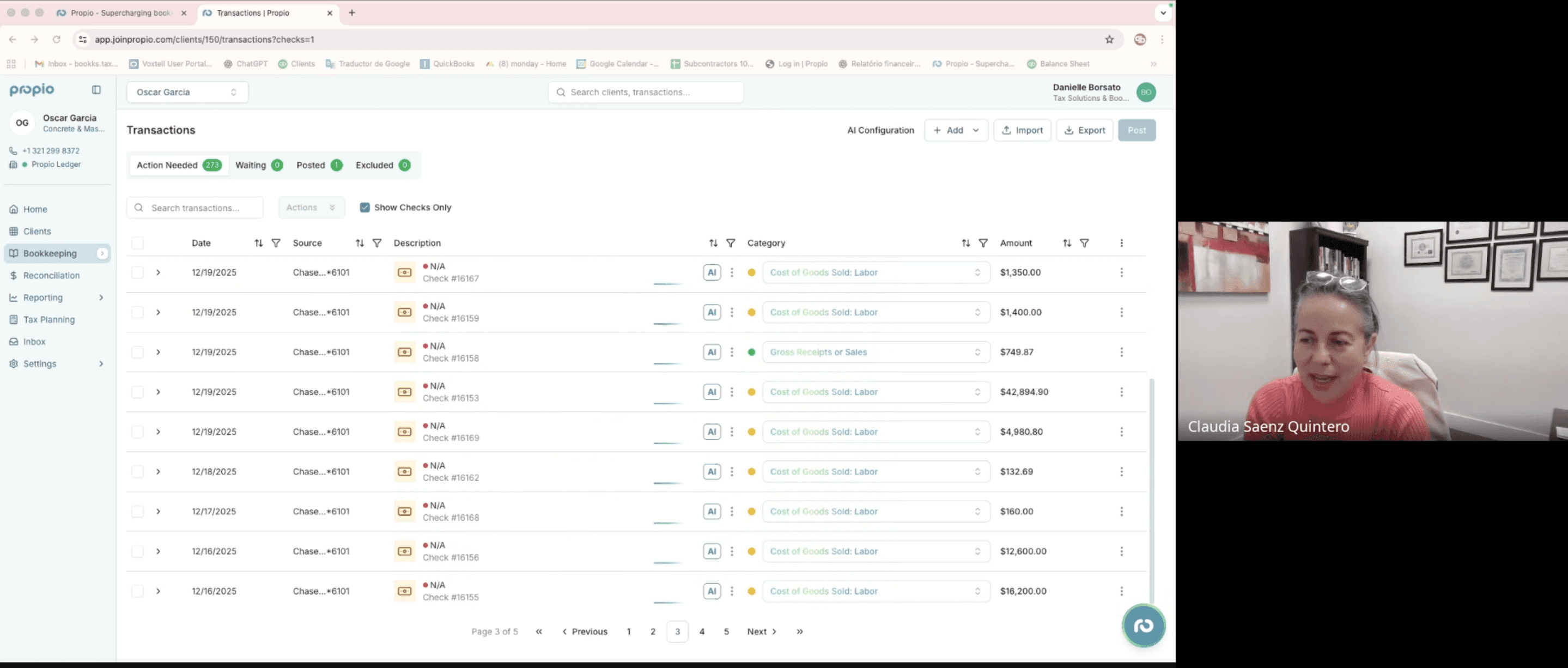
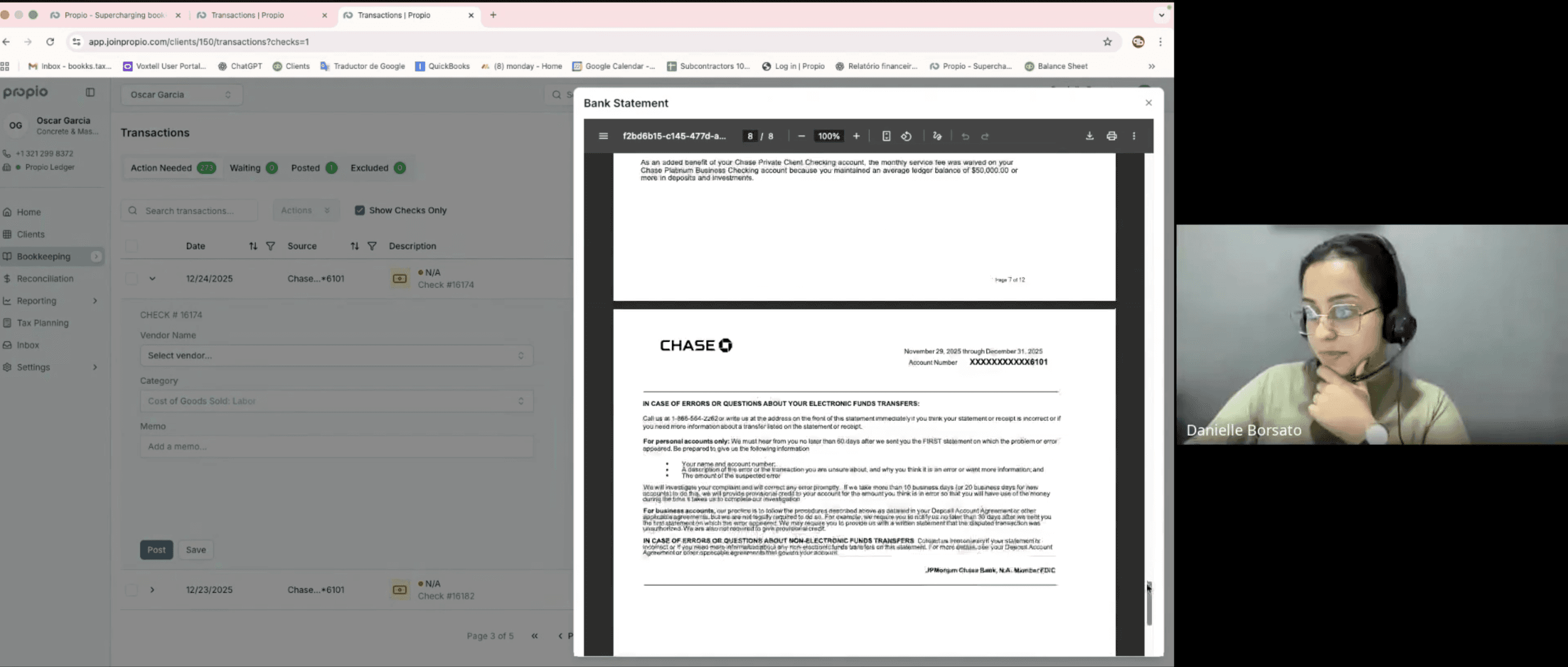
We tested different ways of integrating AI into the accounting workflow without disrupting it.
To embed AI without disrupting how accountants already work, I experimented with three different interaction models to find the balance between automation and user autonomy, ensuring AI could support the workflow while keeping accountants in control.

1
Chat-based AI

2
Secondary Workspace

3
On-Demand Agent
Iteration 1
Chat-based AI
✅ Yes
Familiar interaction pattern
Effective for simple, one step tasks
❌ But
Hard to review and edit previous inputs
Users lost orientation in longer conversations

Iteration 2
Secondary Workspace
✅ Yes
Separated conversation from execution
Easier to review and edit prior inputs
❌ But
Context switching increased cognitive load
Users had to re orient each time they returned

Iteration 3 - Final Solution
On-Demand Agent
✅ What worked
Conversation and execution remained connected
Easy to review and adjust inputs inline
Reduced workflow interruption


Why is AI categorization accuracy low?
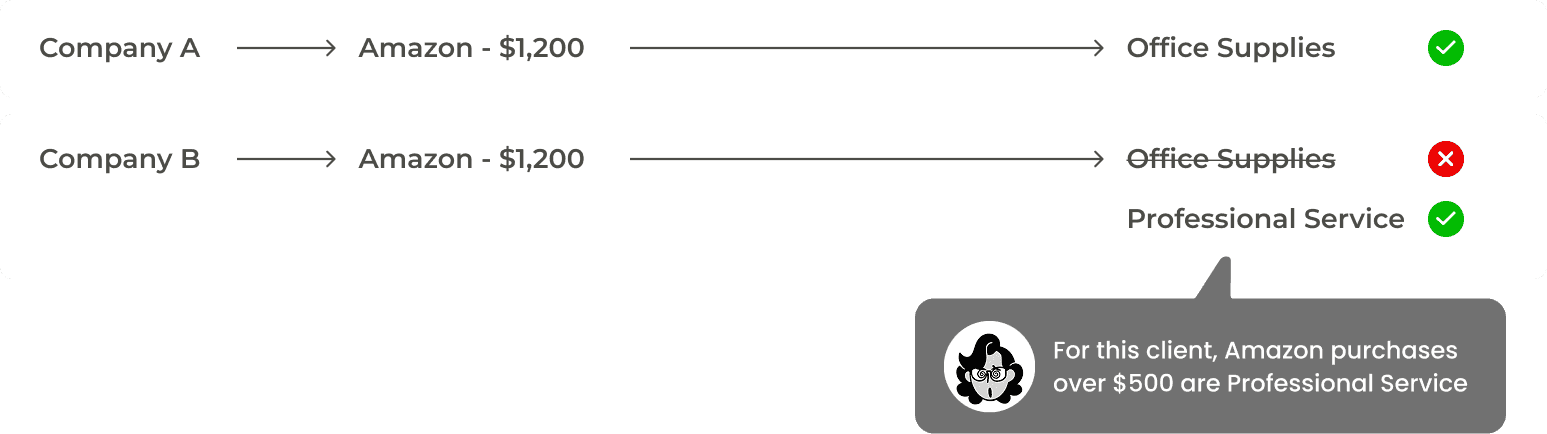
Accountants manage multiple clients, each with their own categorization rules and business context. Without understanding those nuances, AI often makes decisions based only on surface-level patterns, leading to incorrect categories.
Method

Examples
🗂️
Reason 1
Each client had unique rules and financial logic. Without that context, AI relied on general patterns instead of client-specific knowledge.
🔄
Reason 2
AI did not learn effectively from past corrections, so the same mistakes were repeated.
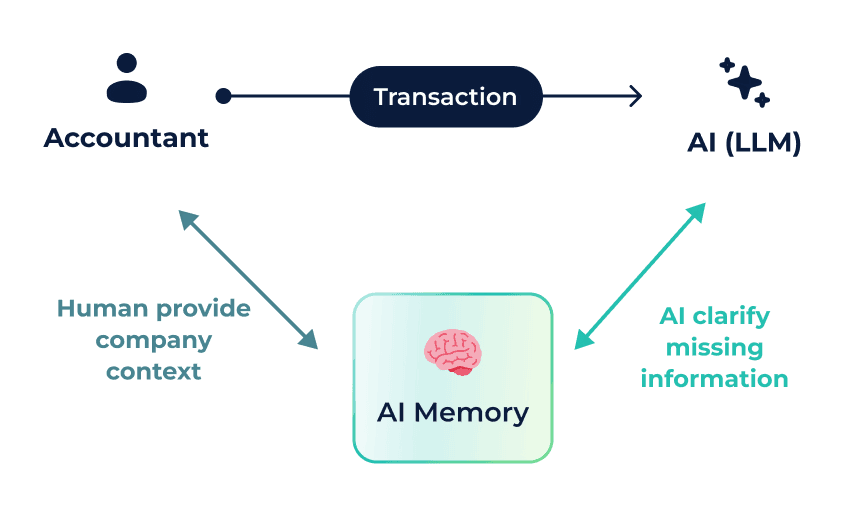
We introduced Human-in-the-loop interaction model
To address the accuracy gap, I worked closely with engineering to rethink how AI handled business context. We introduced a human in the loop model that allowed accountants to provide client specific context before decisions were finalized. This shifted AI from guessing to collaborating, building contextual memory directly into the workflow.
👀
Make AI decisions transparent
So accountants can review suggestions with confidence.
⚠️
Let AI ask for missing context
Humans cannot see what AI is missing, so it should ask instead of guessing.
🔄
Learn from every correction
Each adjustment improves future predictions.
Solution — A Collaborative Calibration System
We rollout a collaborative system by making AI confidence visible, guiding accountants through calibration, and embedding client specific rules into memory. tThe system can learn and improves over time without disrupting the workflow.
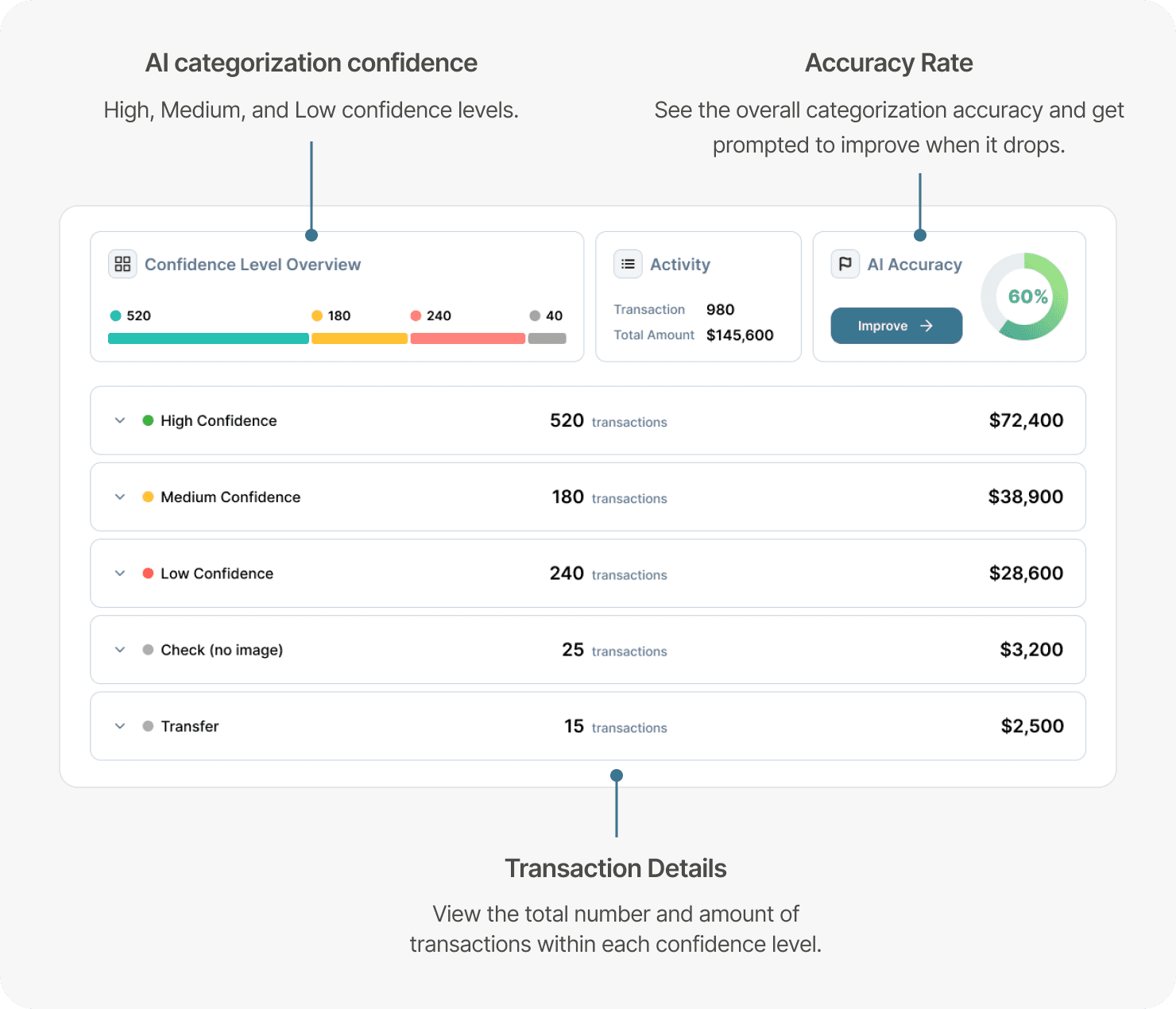
Transaction Dashboard
The dashboard shows how AI performs in categorizing transactions, including the distribution of confidence levels and the overall accuracy rate.
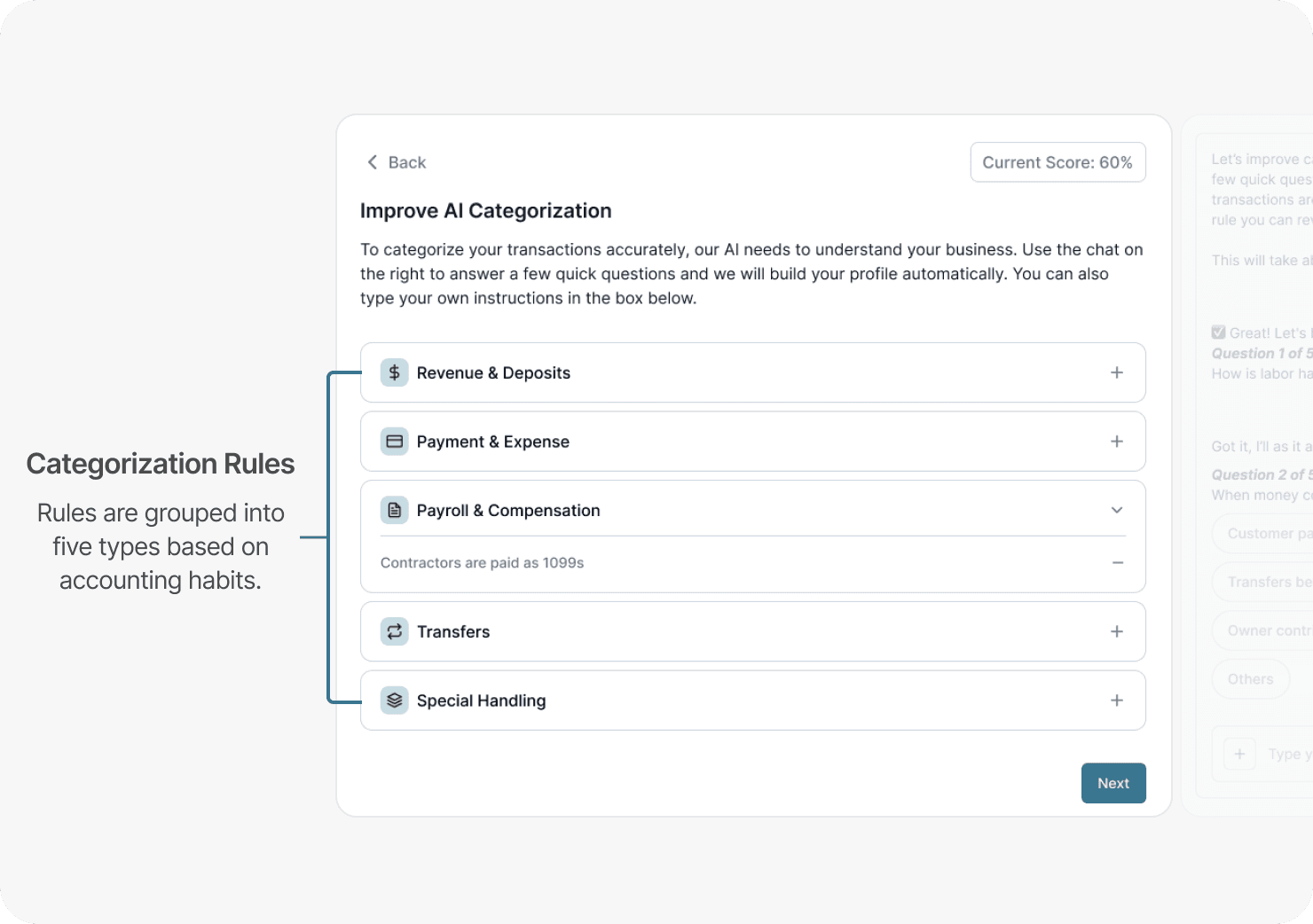
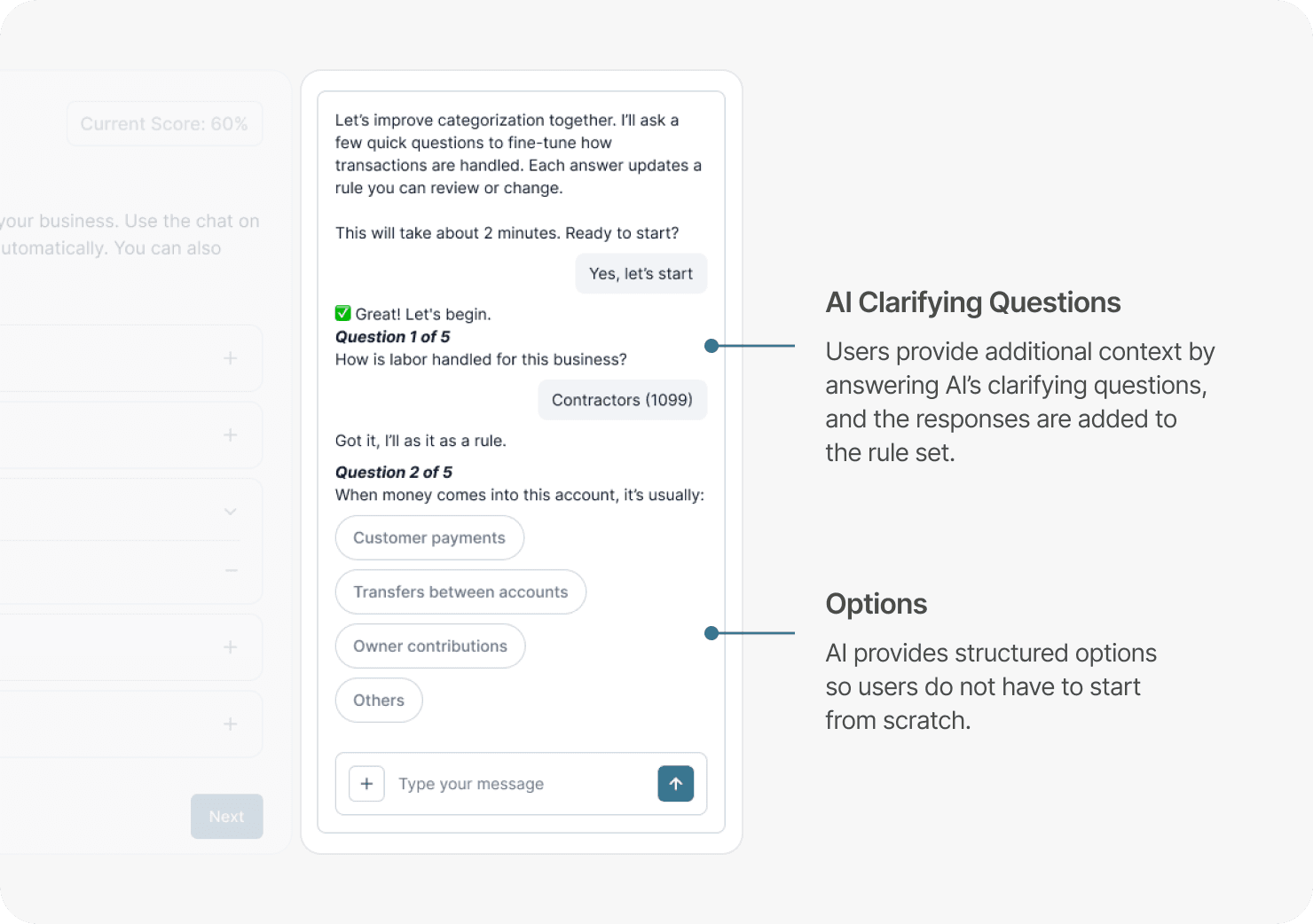
Calibration Space
This is where AI and accountants collaborate to calibrate categorization results and improve accuracy.
Comparison
After the human-AI collaboration process, the accuracy rate significantly increases. Accountants can revisit the dashboard anytime if the accuracy drops again.
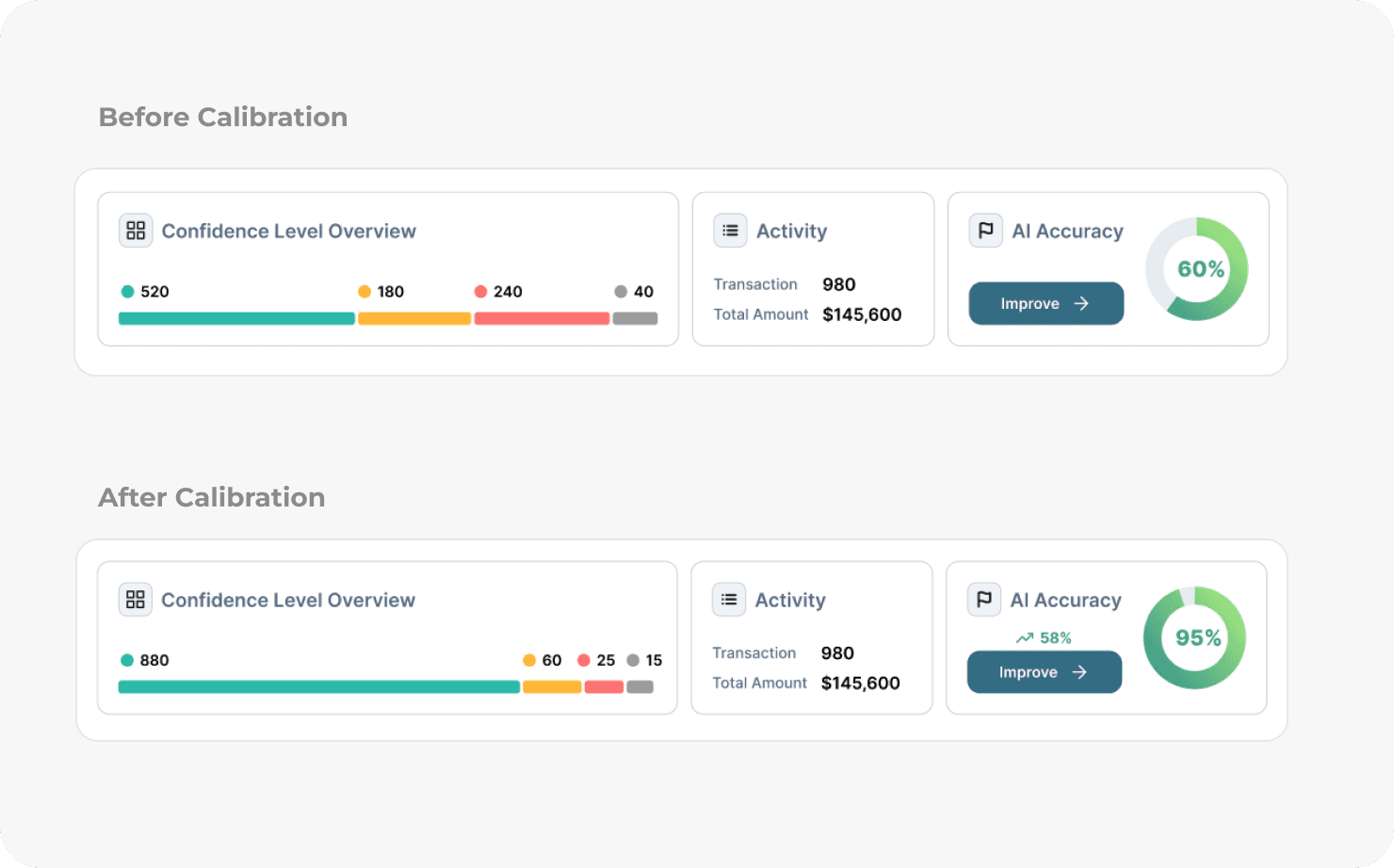
Human-in-the-loop Impact
This collaborative calibration system enables AI to continuously learn from accountants, significantly increasing categorization accuracy.
AI Acceptance Rate
⬆️
Repeated Corrections
⬇️
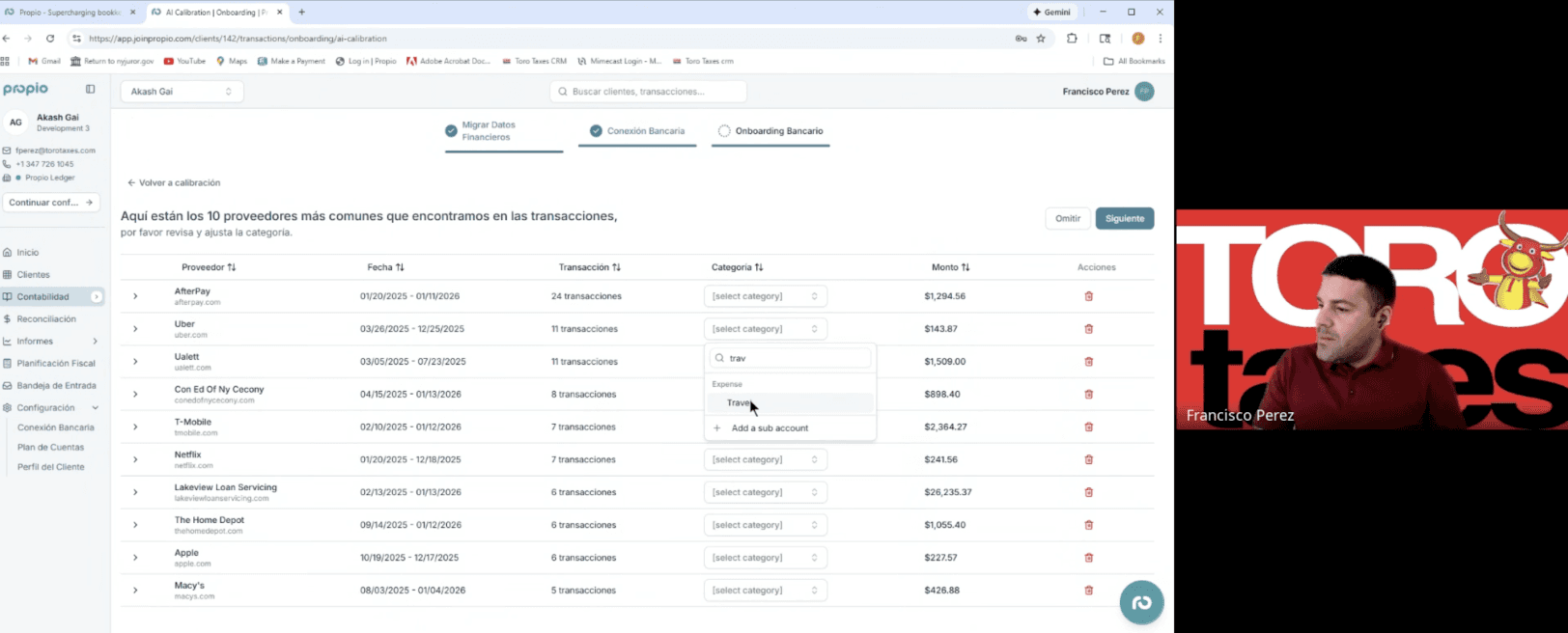
Feedback from user testing
Where do repetitive transactions happen?
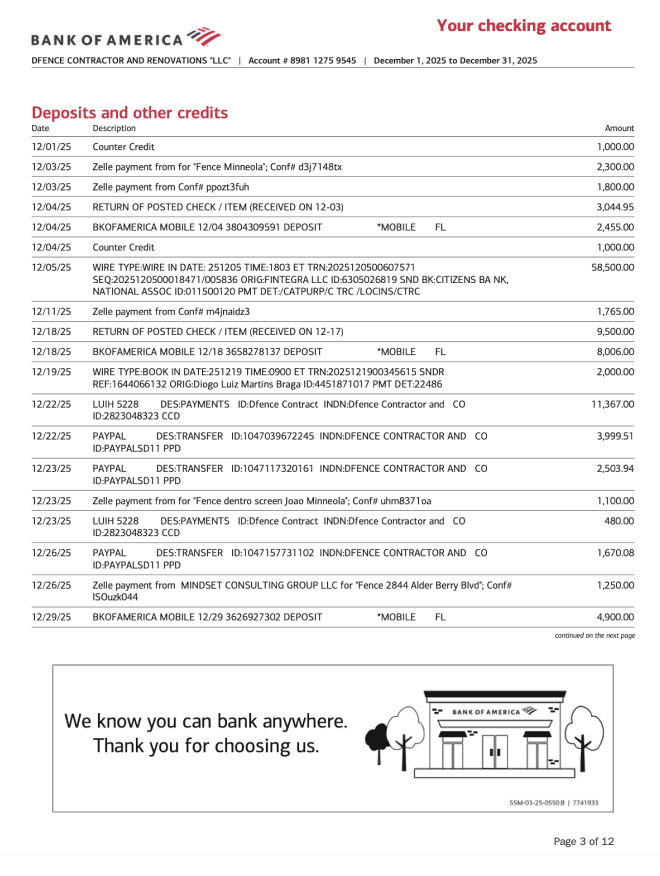
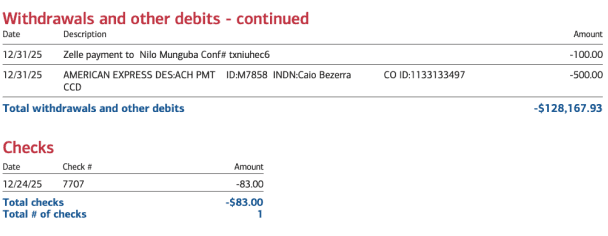
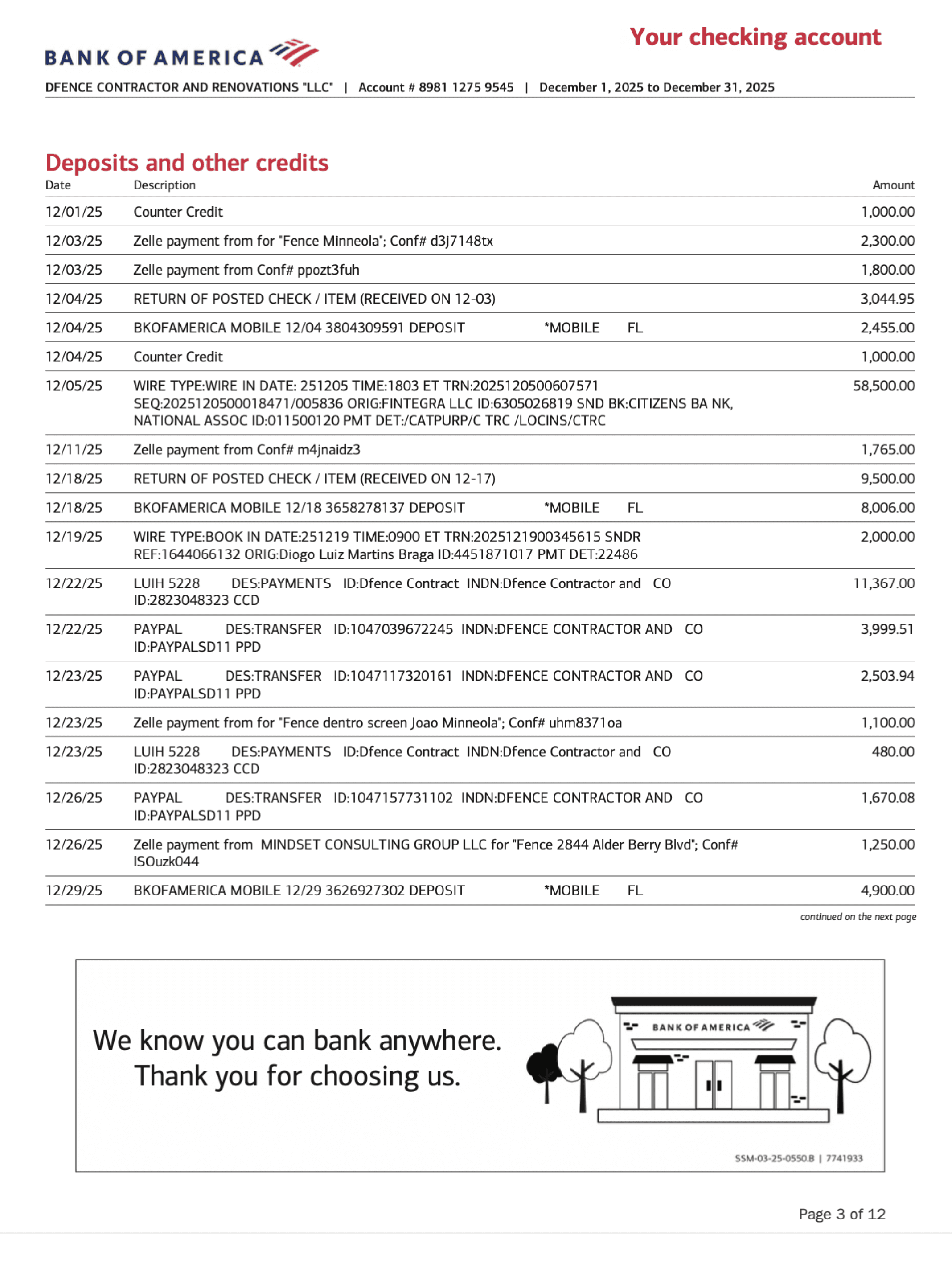
Accountants manually review the bank statement, locate each check, open the image, and categorize it one by one. It’s repetitive, detail-heavy work that takes time and energy, especially when done across multiple clients.
⚠️ Repetitive, Time-consuming
⚠️ Manual Efforts
1
Amazon.com
2

3
4

How can AI help in handling check transaction?
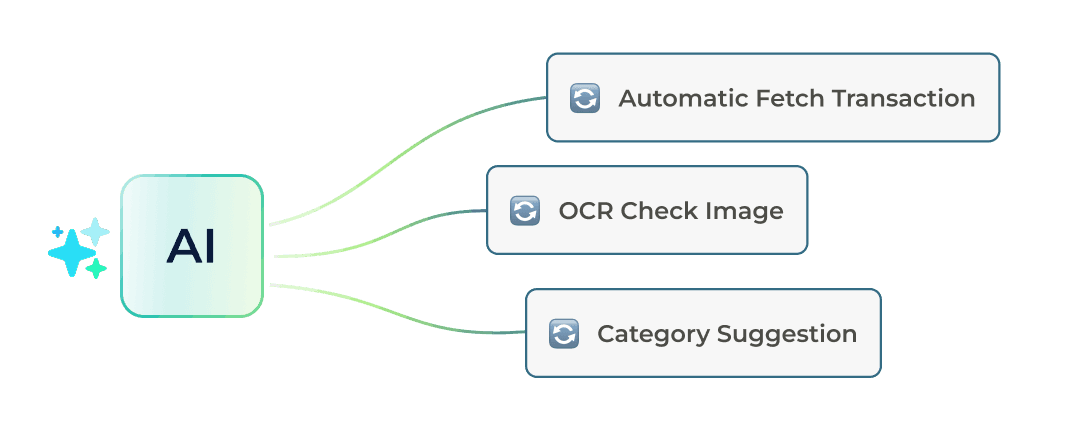
AI automates the process by fetching check transactions from bank statements, using OCR to extract key details from check images, and suggesting categories for review. By preparing everything upfront, accountant can focus on reviewing and making the final call.
Step 1
Prompt AI to fetch checks
Accountants can ask AI to gather all check transactions from the bank statement and bring them into a single review space.
Step 2
Review and approve AI suggestions
AI clip the check image and suggest a proper category. Accountants simply review, adjust, and approve, shifting from manual processing to decision-making.